
Step 1: Create Your Account
Visit relio.chat and click "Join for Free." You can start with the Free plan. No credit card required. Enter your email, create a password, and you are in.
Step 2: Choose Your Import Method
Relio supports five ways to import your product catalog:
- Shopify App: One-click install from the Shopify App Store
- WooCommerce Plugin: Simple WordPress plugin installation
- CSV Upload: Download our template, fill in your products
- Web Scraper: Enter your URL and we discover products automatically
- Google Merchant Feed: Connect your product feed URL
Step 3: Configure Your AI
After importing products, customize your AI assistant. Set the name, personality tone, and enable the Brand Identity Scan to automatically learn your store is voice and style.
Step 4: Customize the Widget
Choose your brand colors, upload a custom avatar, and set greeting messages. The widget preview updates in real-time so you can see exactly how it will look on your store.
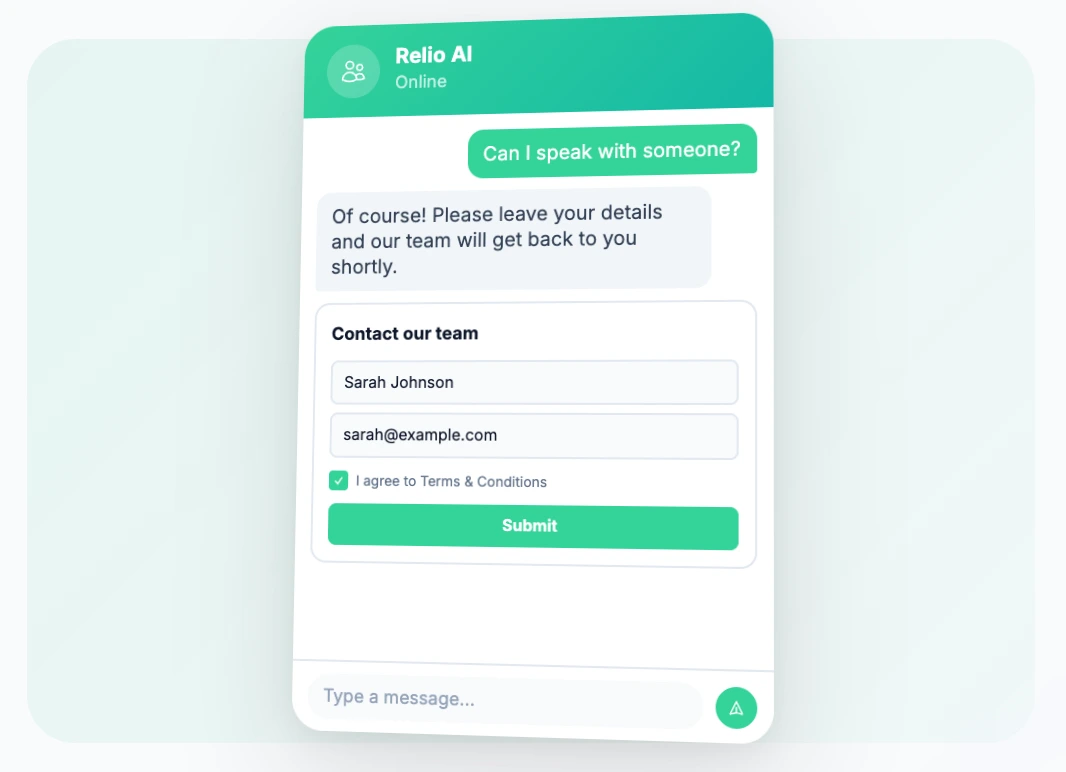
Automatically collect visitor information, capture leads from conversation flows, and seamlessly hand off to human agents when needed.
- Automatic email capture
- Full conversation transcripts
- Instant team notifications
Step 5: Embed and Go Live
Copy the one-line embed code and paste it before the closing body tag on your website. That is it. Your AI sales assistant is now live and ready to help customers.
Pro Tips
- Use Owner Bias to boost your highest-margin products
- Enable lead capture to collect emails from interested visitors
- Review your analytics weekly to optimize product descriptions